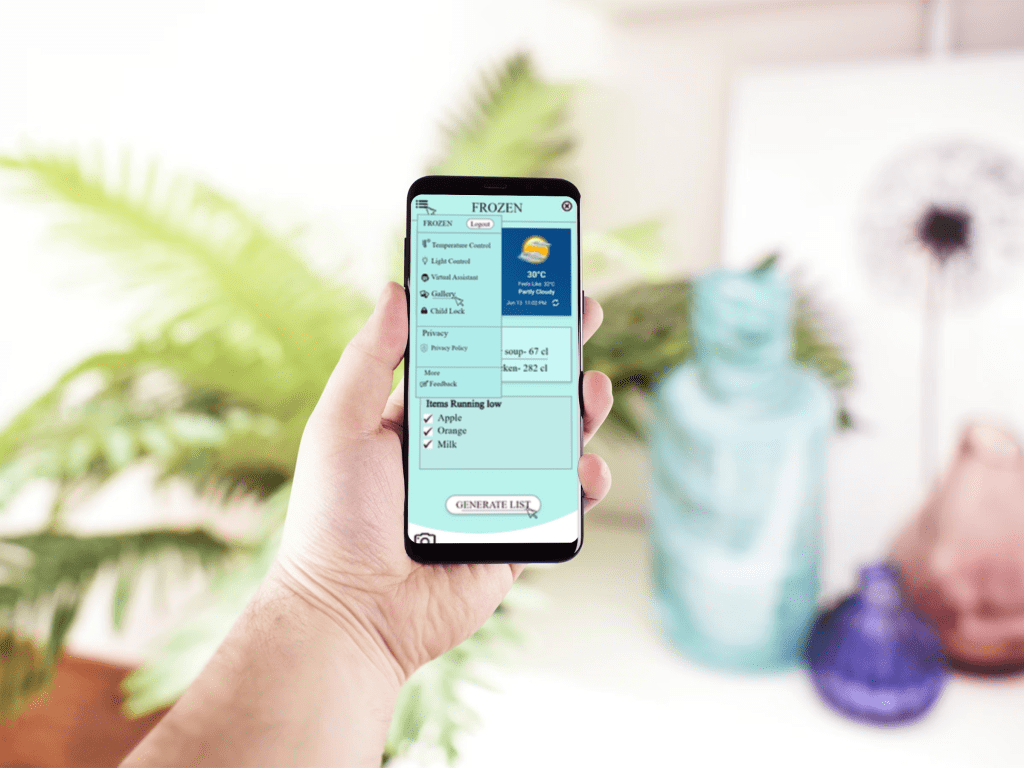
Frozen – Your Smart Fridge Companion
Frozen is an AI-powered refrigerator app that helps you track, organize, and manage your food effortlessly. Get automatic inventory updates, expiry reminders, smart recipe suggestions, and grocery restock alerts—all from your fridge to your phone. Say goodbye to food waste and hello to smart, efficient living.
Problem Statement
In today’s technology-driven world, we are moving toward greater automation of everyday tasks. To support this shift, my teammate and I developed Frozen—a smart refrigerator application designed to work seamlessly with modern smart fridges. The goal behind creating Frozen is to automate routine tasks and promote healthier eating habits, making daily life more efficient and wellness-focused for users.
Goal/Objective
The primary design goal of our application is to ensure flexibility and compatibility with smart refrigerators across all major brands. We aim to create an experience that is both intuitive and enjoyable for users of all ages. By automating everyday tasks—like generating a grocery list with a single click—we believe the app will capture user interest and enhance daily convenience. To guide our design process, we’ve categorized our objectives into two key areas: Usability Goals and Task Goals.
Following are the list of goals divided in two categories:
The task goals for our application are as follow
- Capturing images of items stored
- User sign-in and registration process
- Setting a reminder or alarm for a specific dish
- Creating and saving custom recipes
The usability goal for our application are as follows
- User-Friendly Interface
- Built-In Virtual Assistant
- Child Lock Feature
- Task Automation
Persona Creation

Persona 1:
- Name: Joey Tribbani
- Occupation: Gym Trainer
- Age: 27
- Gender: Male
Background:
- Joey loves to work out daily.
- He prefers to eat healthy food
- Joey is a health freak, but he struggles a lot on figuring out new healthy recipes
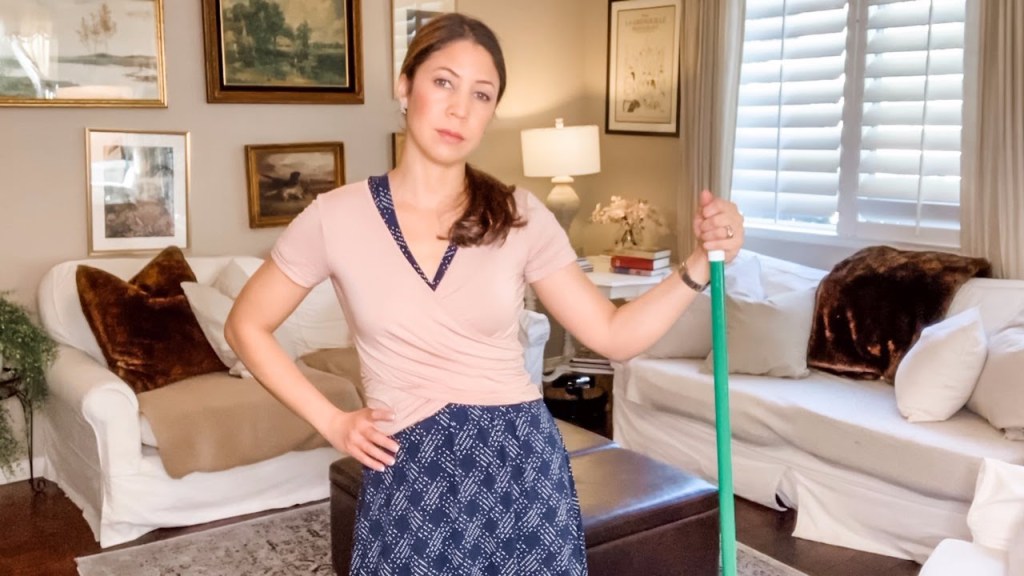
Persona 2:
- Name: Monika Geller
- Occupation: Home Maker
- Age: 45
- Gender: Female
Background:
- Monika is homemaker.
- she struggles to keep her food fresh for a longer time.
- Monika has two small kids who usually forgets to close the refrigerator.
StoryBoarding
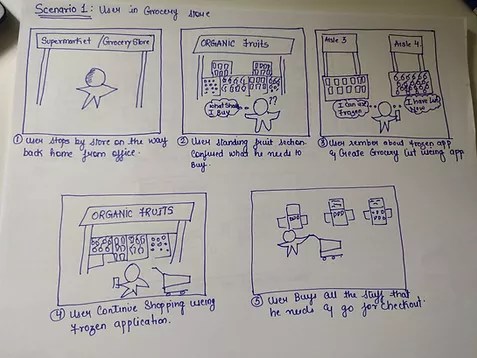
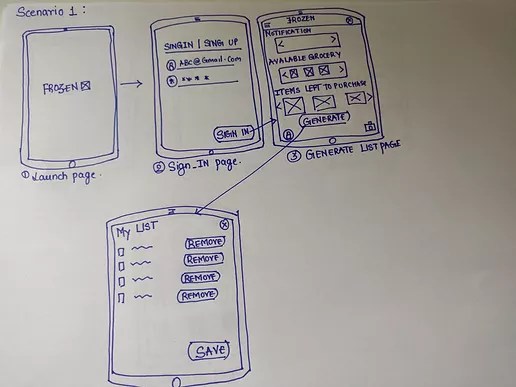
In this scenario, a man is shopping for groceries but feels unsure about what items he needs. Without a prepared grocery list, he considers going back home to check what’s missing. Fortunately, he has the Frozen app, which allows him to generate a personalized grocery list based on the items currently available—or missing—in his smart refrigerator. Using the app, he follows a few simple steps to quickly create his list and continue shopping with confidence.
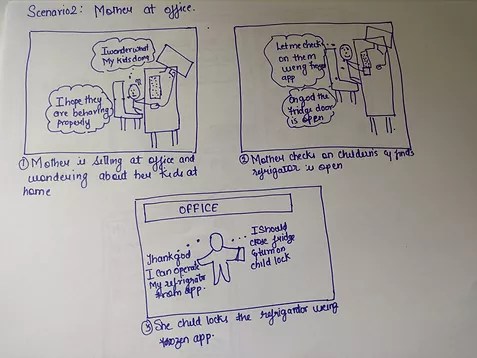
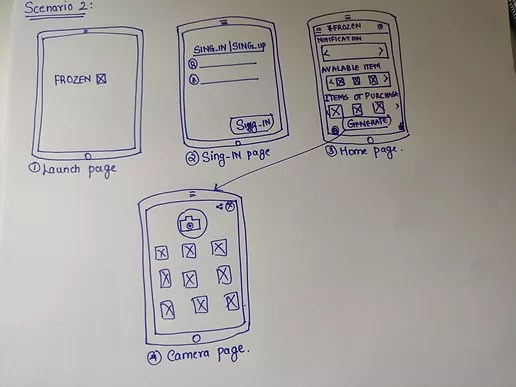
In this scenario a woman is in her office working. She notices her kid playing in the kitchen through her phone. She is worried that her child might open the Fridge and can hurt himself while trying to get something out. Since she has a frozen app, she can turn on the child lock so that she can prevent her child from any injuries.
Wireframe
I began the design process by creating low-fidelity wireframes to explore various layout possibilities and navigation flows. These early sketches focused on core functionalities such as scanning refrigerator contents, generating grocery lists, viewing recipes, and managing user settings. This phase helped lay the foundation for a user-friendly interface while ensuring the essential features were clearly defined before moving into high-fidelity prototyping.
High Fidelity Prototype
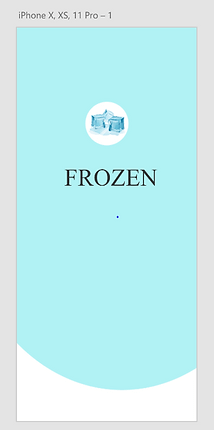
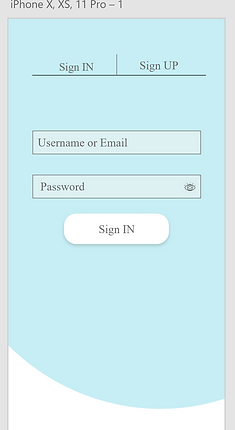
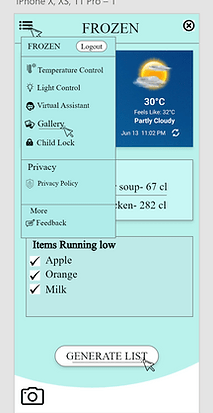
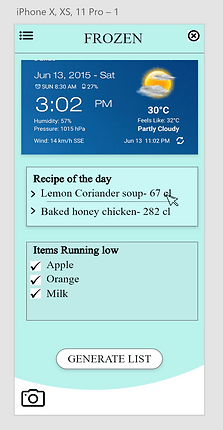
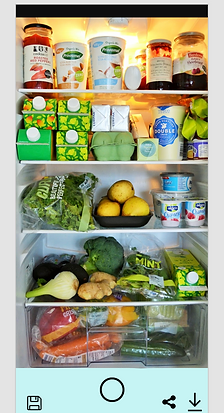
The high-fidelity prototype of the Frozen application presents a detailed and polished design that closely reflects the final product. It incorporates key insights gathered from the early research activity to enhance user-friendliness and usability. The prototype showcases visual elements such as iconography, typography, interaction flow, and overall navigation—demonstrating how users will engage with the app.
The following images illustrate the high-fidelity prototype for the two tasks performed by participants during the Research.
Usability Testing
As part of this project, my teammate and I conducted focus groups to gather user feedback and insights on the concept of the Frozen application. We organized moderated group interviews, where one of us acted as the moderator leading the discussion, while the other observed and took notes. Each focus group consisted of 5 participants, with a total of 2 sessions conducted.
The first focus group included a diverse mix of individuals—working professionals, retired elderly individuals, bachelors living alone, and parents with young children. The second group was made up of participants from the IT industry, all of whom currently own smart refrigerators. This approach helped us gather a broad range of perspectives, both from general users and from those already familiar with smart home technology.
Questions Asked
- How do you currently feel about using a traditional refrigerator?
- What features would you like to see in your ideal refrigerator?
- Do you find it frustrating when you have to throw away food because it has expired?
- Would you find it helpful if your refrigerator could automatically generate your grocery list?
- Would you like assistance in discovering recipes using the remaining ingredients in your fridge?
- Have you ever experienced connectivity issues when trying to connect your smart refrigerator with a mobile app?
- In your opinion, what is one key advantage a smart refrigerator has over a traditional one?
User’s Suggestions
- Ability to edit the grocery list manually, allowing users to customize and update items as needed.
- Integrated odor control system to help reduce and neutralize unpleasant food smells inside the refrigerator.
- Built-in digital notes feature on the refrigerator screen, eliminating the need for physical sticky notes.
- Automatic low-stock notifications, providing users with a real-time list of items running low to simplify grocery planning.
- Independent temperature control for drawers and compartments, enabling optimal storage conditions for different food types.
Evaluation
For evaluation, we conducted a Usability Testing and an experimental task-based session, where participants performed key tasks while we observed their feedback. The participants came from diverse demographics, and overall, they found the application useful and were able to complete tasks without major issues.
However, some participants—especially older users—took time to understand the app’s concept and layout. They faced initial challenges with navigation and sign-in due to limited technical familiarity. Despite this, most users found the app easy to use after a few attempts.
The study helped validate core features and revealed opportunities to improve the design and add new features, making the app more user-friendly and innovative.
 Chanchal Joshi