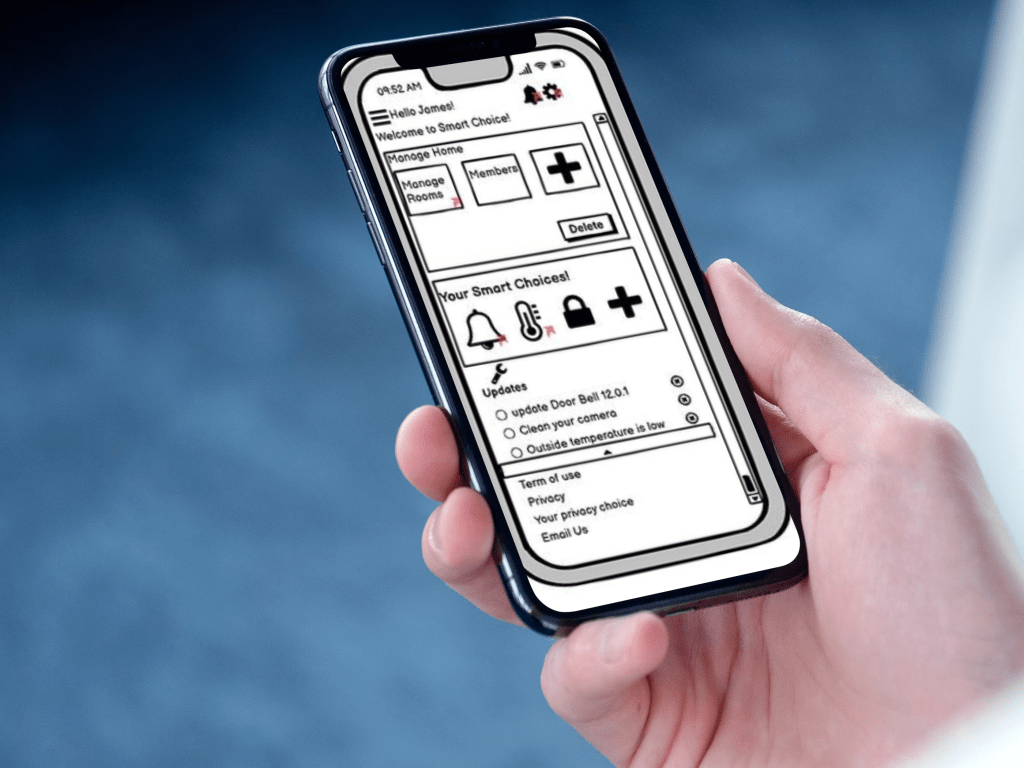
Designing Responsive Digital Wireframes for Smart Appliance Interfaces
This case study explores the process of designing responsive digital wireframes for a smart appliance application. The goal was to create a seamless and intuitive user experience across multiple devices, focusing on key features such as remote control, task automation, and real-time notifications. The wireframes were crafted with a user-centered approach, ensuring usability, scalability, and cross-platform responsiveness.
Problem Statement
In today’s technology-driven world, we are rapidly moving toward automating everyday tasks with smart appliances. However, a common challenge users face is that each appliance typically requires its own separate mobile application. Managing multiple apps—not to mention the storage space and confusion it causes—can be inconvenient and overwhelming.
To address this issue, my Smart Home Application project proposes a unified solution: a single application prototype designed to connect and control various smart home devices. From the doorbell and thermostat to door locks and more, this app offers a centralized, user-friendly interface to manage all smart appliances in one place.
Design Thinking Process
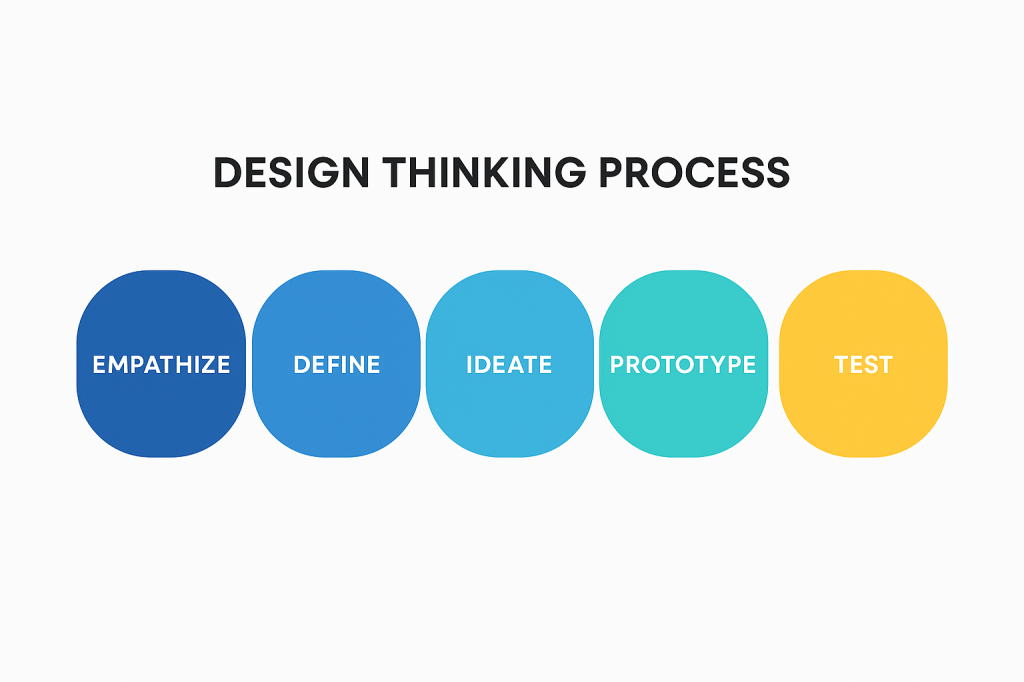
In this project, I applied the Design Thinking methodology to shape and refine the final design concept. I began by generating 10 different design ideas aimed at achieving the project’s core goal. As the process evolved, I encountered new constraints, made assumptions, and refined my design decisions—focusing increasingly on the finer details. This allowed me to gradually narrow the design space, moving from broad idea generation to focused concept development. The process was both iterative and exploratory, with each stage involving thoughtful experimentation and refinement, ultimately leading to a well-defined final solution.
Wireframe
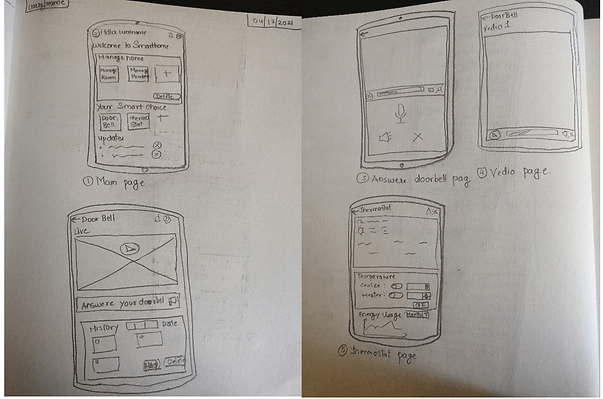
Once the solution was defined, I created low-fidelity wireframes based on initial sketches. These wireframes served as the foundation for building high-fidelity prototypes. The next step was to test them with users to gather feedback and refine the design.
Design Pattern
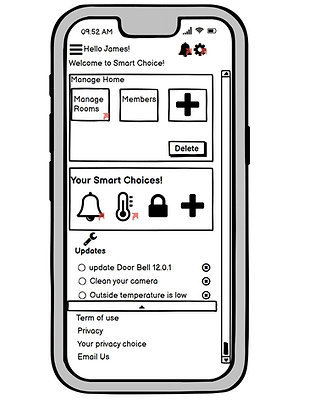
While designing the Smart Home application, I incorporated key mobile design patterns to create a more intuitive and user-friendly interface. These patterns helped address user needs and enhance the overall experience. Choosing the right design patterns starts with understanding your users — who they are, why they use the app, and how they interact with it. The better you know your users, the more effective your design solutions will be.
Below is a list of the design patterns I used to make the application more efficient and user-centric:
Design Pattern:
- Modal Panel
- Titles Section
- Dashboard
- Prominent “Done” Button or Assumed Next Step
- Vertical Stack
- Generous Borders
- Collections and card
- Bottom Navigation
Interactive Prototype
This mobile application is designed for companies that produce smart home devices such as smart doorbells, thermostats, and locks. It caters to tech-savvy users who utilize smart appliances in their homes, providing a seamless way to control and manage these devices. The app allows users to customize the number of rooms based on their home size, add or remove household members, and manage an unlimited number of smart appliances. It also includes features like real-time notifications, the ability to answer a smart doorbell directly from the app, control thermostats remotely, and personalize settings for a more tailored user experience.
FeedBack or Critique
As a part of project we were also asked to post the video prototype explaining our projects onto a common online platform where all my colleague could see. Once the video prortype was posted we were asked to actually watch any two video prototype and give our feedback and similarly we were also asked to receive a feedback from our colleagues. So to give and receive feedback I had followed the 10 critique rules as below:
- Is aware of the relationship between critic and critique.
- Forms a judgment on both positive and negative aspects of the work.
- Expresses judgments in respectful and compassionate language.
- Refers to established principles of good design, not to personal taste.
- Uses Socratic questions to identify problems without suggesting solutions.
- Focuses on the work and doesn’t criticize the person.
- Is mindful of its purpose and the reason it has been requested.
- Takes account of the other person’s level and needs.
- Is written in prose and addresses the other person conversationally.
- Includes a thank you

Learning
Learning & Outcomes:
- Through this project I was able to learn new wire framing tool called balsamiq.
- I also learned how to apply mobile design patterns to make the application more convenient and user-friendly.
- Learned Design Fennel.
- Learned how to give and receive good and bad critiques.
- Learned Documentation and Summarization.
Challenges:
If the time would have permitted I would have added a few more things to the entire project such as:
- A section that provides users tips to save energy through the application.
- A section where companies could promote their products to the users.
 Chanchal Joshi